


If you’re still using Google Calendar like it’s 2009—just punching in appointments and letting it ride—you’re leaving productivity on the table.
While we’re all drowning in digital noise, the single best thing you can do is carve out some actual, useful time. These five tricks are simple to implement, and they turn your basic calendar into a surprisingly effective time-management copilot.
So, stop scheduling and start planning.
The shortcut-iest shortcuts
You know what’s less efficient than a two-hour conference call? Constantly clicking the “Create” button or dragging your mouse to the next available time slot.
Instead, just hit the C key on your keyboard.
The event creation box pops up instantly, ready for you to title your meeting and select a time. It’s basic, but the cumulative time savings of not having to drag the pointer to the left-hand corner of your screen for the ten-thousandth time is non-trivial.
Also, while you’re at it, hit T to jump straight back to today’s date, and check out other useful shortcuts here.
Block out ‘Focus Time’
We all have a task list that never ends. You need two hours to write that report, but your calendar is a patchwork quilt of calls, reminders, and “quick syncs.” If it’s not on the calendar, it doesn’t exist.
Carve out some actual work time by scheduling a Focus Time event. Note that for this to work, you’ll need a Business, Enterprise, Education, or Nonprofit Google Workspace account.
In the past, you’d just block off the time. Now, Google Calendar has a specific Focus Time event type. It’s like a regular event, but it gives you an option to automatically decline any conflicting invitations during that block.
Use it, abuse it, and get something done.
Color-code your events
Your work calendar is a mess of identical blue events. Is that blue dot a mandatory team meeting, or just a reminder to take the recycling out? You have to click it to know.
Instead, assign a color to specific types of events.
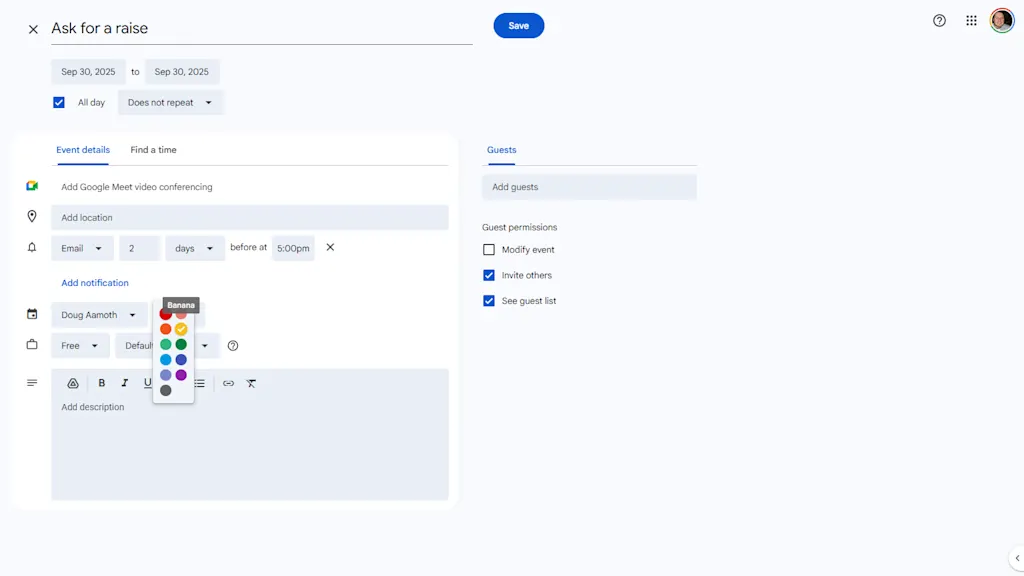
When editing an event, change its color next to your name about half-way down the modal. I like to use red for anything that’s a “Hard Stop” or external meeting, green for personal stuff, and yellow for internal work things.
Now, when you glance at your week, you can instantly see the type of week you’re having: a color-coded visual indicator of your commitments.
Schedule meetings without herding cats
Let’s be honest: The absolute worst part of scheduling a meeting isn’t the meeting itself, it’s the five emails and three Slack messages that happen before the meeting, all dedicated to the question, “When are you free?”
You’re not a reservation agent. Use the “Find a Time” feature instead.
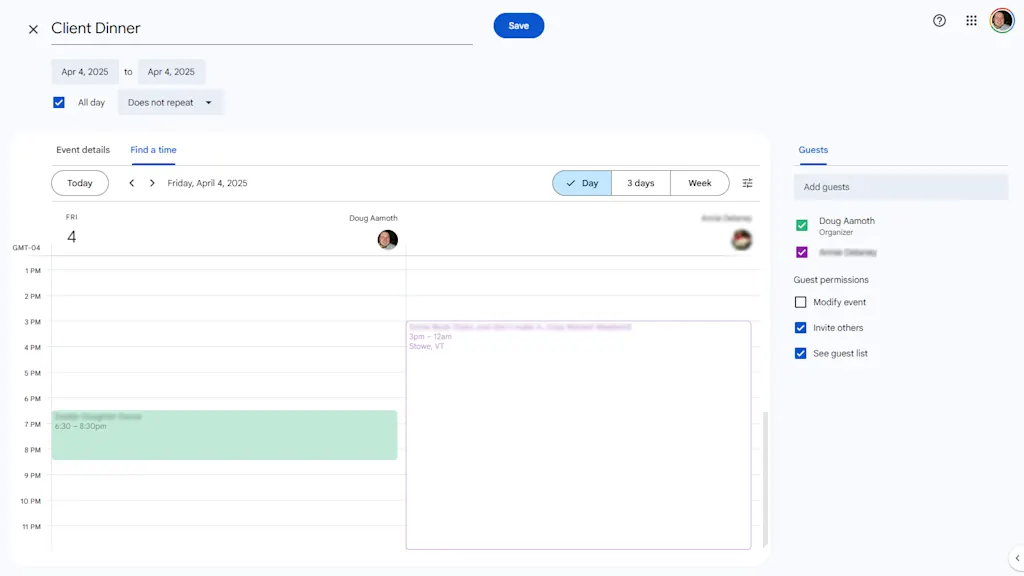
When you create an event and add your guests, click on the “Find a Time” tab right next to “Event Details.”
Google Calendar instantly overlays the schedules of everyone you invited, so you can see exactly who is busy and who is free and at which times. Drag the event block to the first open slot that works for everyone.
Build in some breaks
The bane of modern office life is an entire day of back-to-back, 30-minute meetings. No time for lunch. No time for the bathroom. No time for . . . well, anything.
Don’t be a time miser. Instead, go to Settings > General > Event settings > Default Duration and click the “Speed meetings” box.
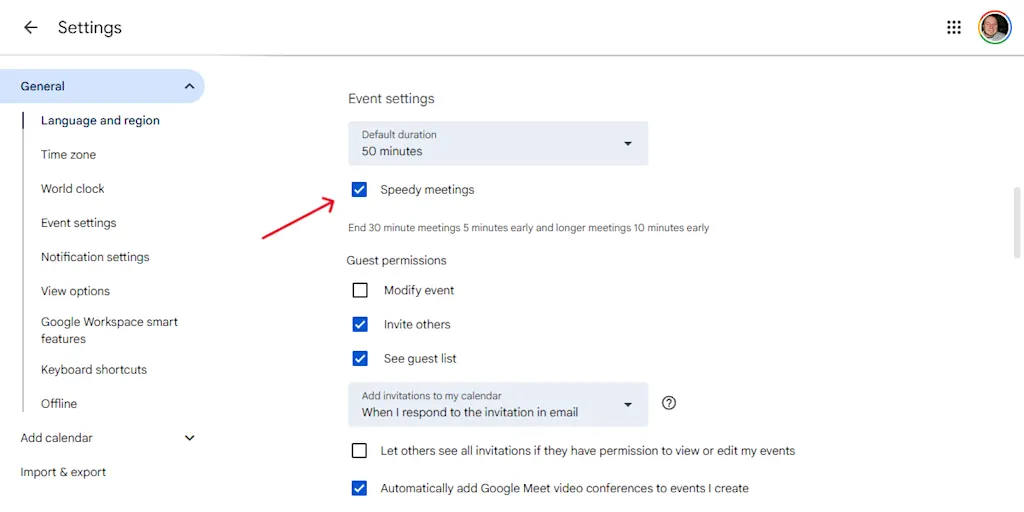
This is a subtle but powerful change. Now, when you create an event, it automatically stops five or ten minutes before the hour.
You and your attendees get a break and a chance to prep for the next call. In a world insane with meetings, it’s a small victory for sanity.
